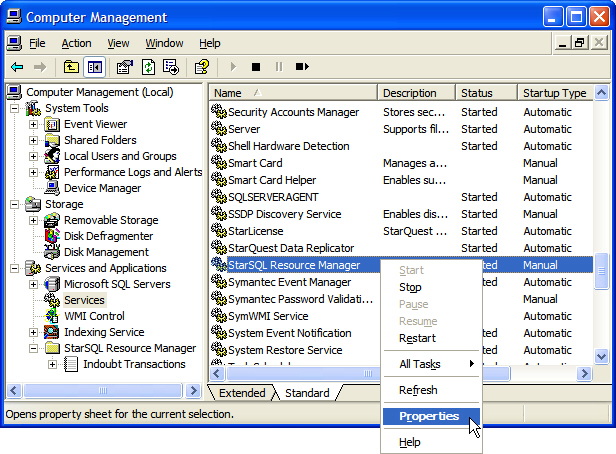
The StarSQL Resource Manager service appears in the right pane of the Computer Management console when you select the Services object below the Services and Applications category.
Right-click the StarSQL Resource Manager in the Services list. From the context menu you can:
start the service if it is stopped
stop the service if it is running
restart the service, which stops and starts it again
set properties for how the service runs, just as for any other Windows service
To configure the Resource Manager, select the Properties command to display the StarSQL Resource Manager Properties dialog