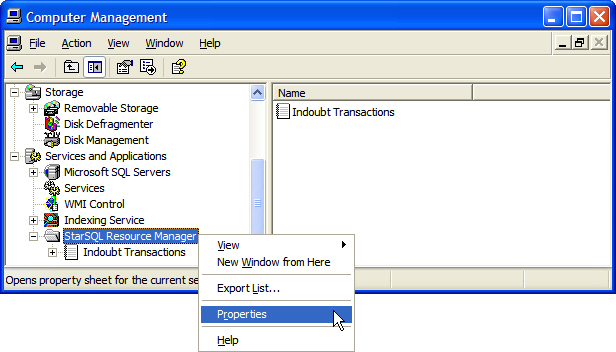
The Resource Manager Administration Tool displays transactions that have left DB2 "indoubt" about the outcome of the transaction, such as if a failure disconnects the DB2 host before it receives confirmation that the transaction can be committed.
If the Resource Manager service is running and all transactions are processing normally, the message “There are no items to show in this view” appears when the Indoubt Transactions object is selected. If the Resource Manager application cannot contact the Resource Manager service, a red X appears in the Indoubt Transactions icon. In this case, check the status of the Resource Manager service, as described in Controlling the Resource Manager Service.
To configure how the Resource Manager handles indoubt transactions:
Select the StarSQL Resource Manager from the Services and Applications category of Computer Management.
Right-click and select the Properties command.
A StarSQL Resource Manager Properties dialog appears with tabs for configuring:
If you change any of the Resource Manager properties, you must restart the service for the new properties to take affect.